
Problem & audience
Inbound / B2B / B2C tour operators; Sales, Operations, Tour Guides, Accounting and Management.
- B2B/B2C intake, quote versions and cross-department handovers must all attach to one tour code.
- Service bookings and supplier payment deadlines (COD) must be reconciled with cash received and approval authority.
- Field staff need itineraries and assigned tasks on mobile; managers need a risk queue instead of the full ERP menu.
Solution modules
E-commerce & Sales
Tour products, B2C requests/orders, RFQ pipeline, quote builder and Form 1 handover.
Tour operations ERP
Tour files, suppliers, bookings, COD, guide assignments, checklists and cross-department forms.
Travel AI Copilot
Suggests price checks for transport & meals, reads sources, spots missing conditions, reminds COD and summarises progress.
Role-based business apps
Sales handle opportunities/handover; guides run tours/report incidents; managers track risk/approve/coordinate.
Process & data
Data to prepare
- Tour catalogue, RFQ/B2C requests, tour codes, itineraries and service requirements.
- Versioned supplier price lists, seasons, norms and COD policy.
- Staff assignments, checklists, forms, budget/receipts/payments and approval rules.
Deliverables
- Integration map across e-commerce, Sales, Operations and Accounting with an owner for every step.
- ERP/e-commerce screenshot set, case study and AI assistant prototype following sourced scenarios.
- Three sample apps (Sales / Guide / Operations manager); module/permission matrix and ERP integration roadmap.
Delivery conditions
The customer names a process owner, provides data cleared for use and a systems contact. CTC Smart Tech and the business team agree scope, test set, change handling and operating responsibility.
Infrastructure, equipment, licences, third-party integration and AI running costs are determined separately by discovery. This document is not a quotation or SLA commitment.
Pilot & acceptance criteria
- Map the 12-step Sales, 6-step Operations and 5 Accounting task groups to data and owners.
- Run a transport & meals pilot on confirmed price lists/norms; evaluate extraction, pricing and condition errors.
- Connect the ERP and test the flow: Sales handover → guide reports incident → manager approves → Accounting checks.
- Accept persistent data, cross-tour permissions, sync, exceptions and training before scaling.
| Metric | How it is measured |
|---|---|
| Quote turnaround | Minutes from valid input to a budget ready for review. |
| Budget accuracy | Cost lines matching the reference sheet over all lines checked. |
| Errors caught | Share of surcharges / missing conditions detected on the test scenario set. |
| Valid price coverage | Share of services with a price and conditions still valid on departure date. |
Fix the pass threshold, sample size and measurement period before the pilot. These metrics are a proposed evaluation frame, not actual results or a performance commitment.
Governance & control
- The current ERP keeps demo data in the browser; production needs a backend, authentication, API-level permissions and multi-user sync.
- The AI and apps are interactive prototypes not calling real ERP APIs or LLMs; data and calculations are illustrative only.
- COD here means the supplier payment deadline. An approved request is not a completed payment; Accounting controls cash in/out.
- Permissions follow role and assigned tour; hiding menus does not replace access control.
Apply least privilege, data separation, action logs, retention/deletion rules and recovery. Test wrong-permission access, missing data and service interruption before handover.
From the website to one continuous tour file.
The review follows the 12-step Sales · 6-step Operations · 5 Accounting task groups and the modules present in the Flamingo demo. The focus is integration and the handover, approval and reconciliation points.
E-commerce/ERP screens are captured from the existing demo UI with record, customer, date, booking and finance data redacted. The AI assistant and three mobile apps are captured from CTC Smart Tech prototypes designed from the Flamingo documentation. Not evidence of acceptance or production performance.
01 · Intake
The B2C website or a B2B request creates input for Sales.
02 · Quote
Normalise the request, build the itinerary, price by supplier and version.
03 · Handover
Customer confirms → check Form 1 and pre-arrival documents.
04 · Operations
Book services, assign guides, track confirmations and COD deadlines.
05 · Tour delivery
Guides update checklists; incidents go to authorised people.
06 · Settlement
Reconcile cash in/out, invoices, variances and post-tour care.
Flamingo e-commerce & ERP
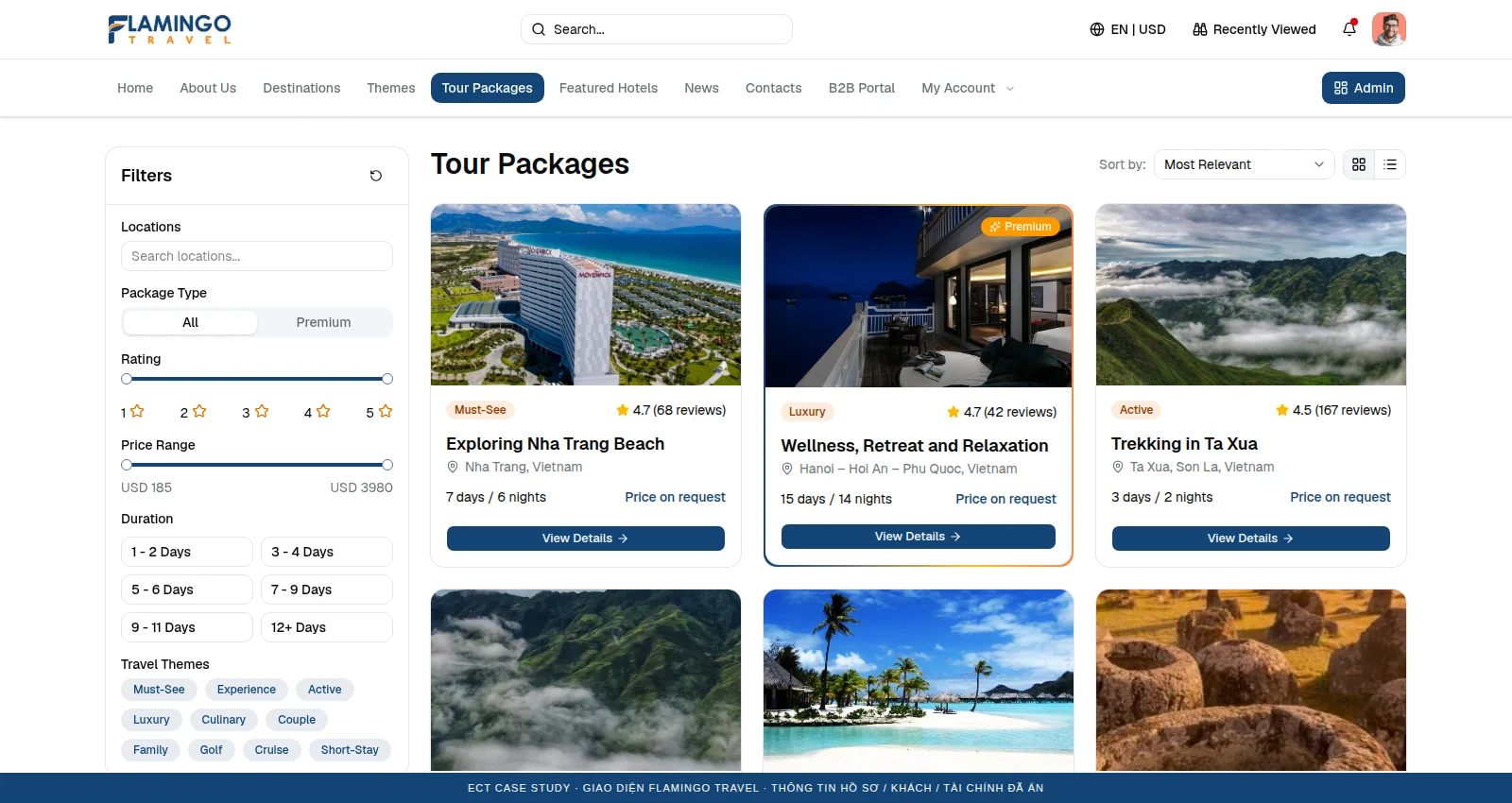
E-commerce & tour sales channel
Customers browse tour products, send requests or start booking; B2C intake is organised for Sales to pick up.
Source screen: /tour-packages · record data redacted; click to enlarge.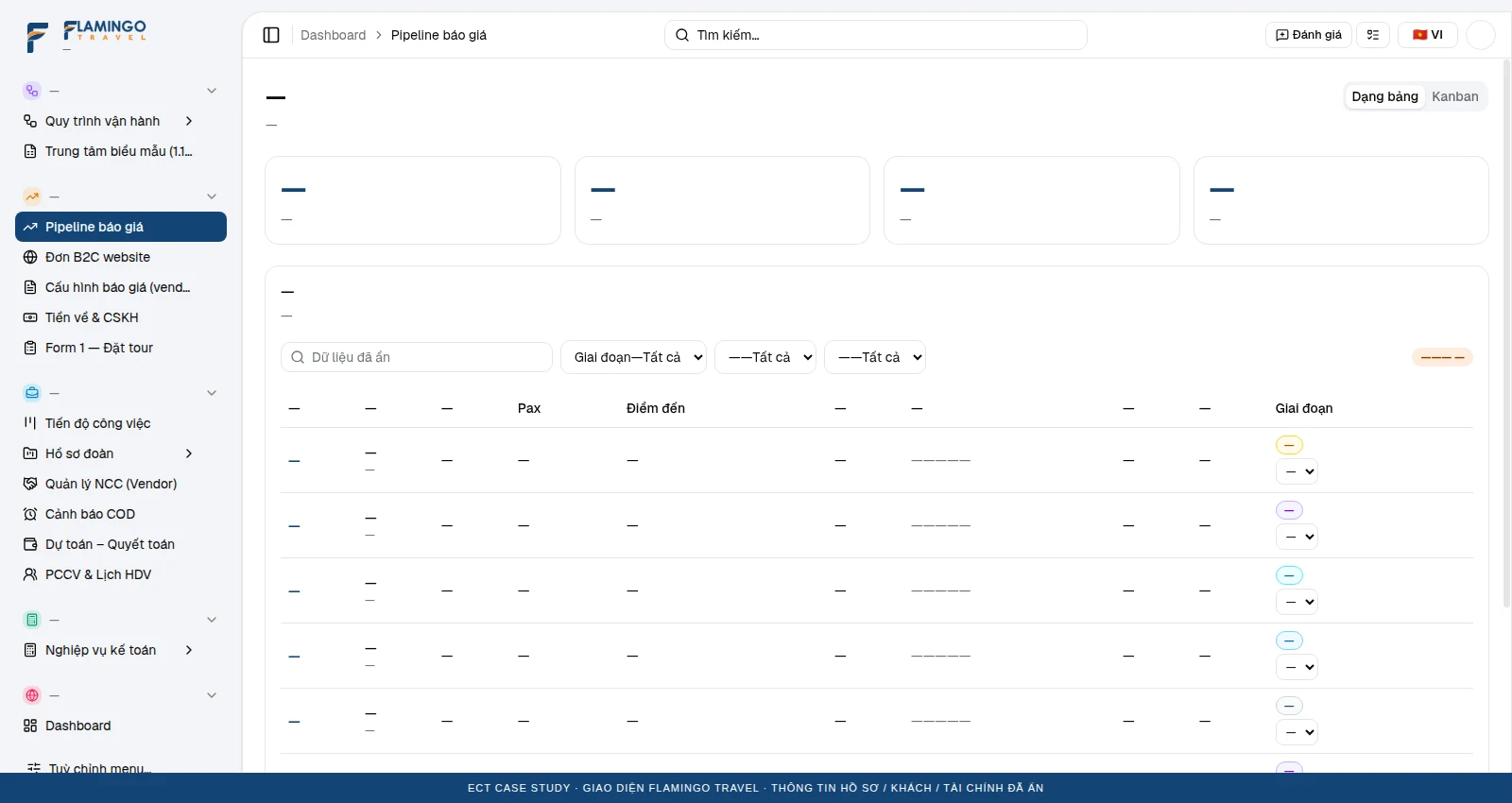
Sales: from request to opportunity
A pipeline tracks quoting stages; customer details and needs flow into the tour file.
Source screen: /dashboard/sales · record data redacted; click to enlarge.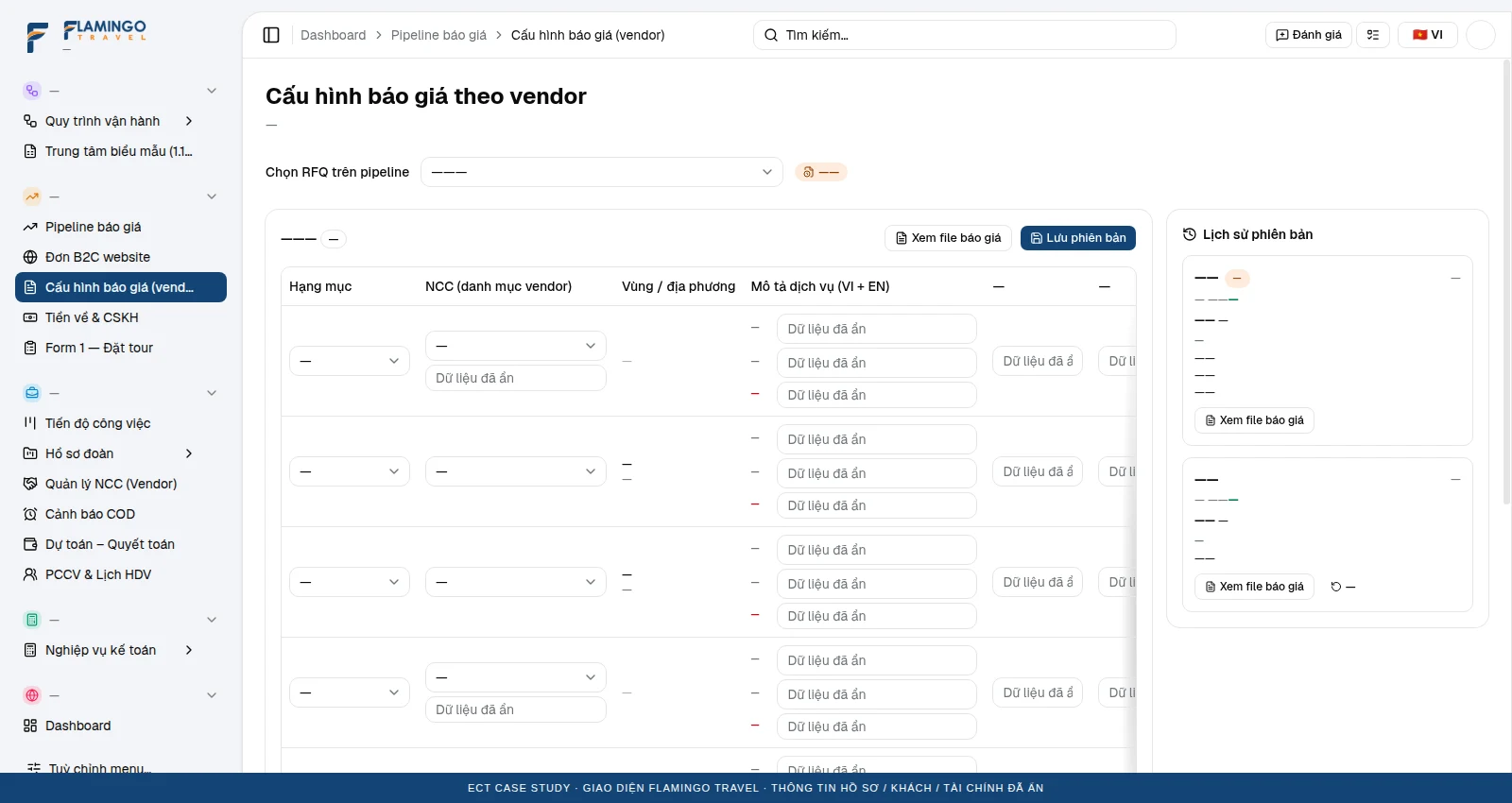
Supplier-based quote builder
Prices computed from services, norms and supplier conditions; versioned, with change explanations before sending to the customer.
Source screen: /dashboard/sales/quotes · record data redacted; click to enlarge.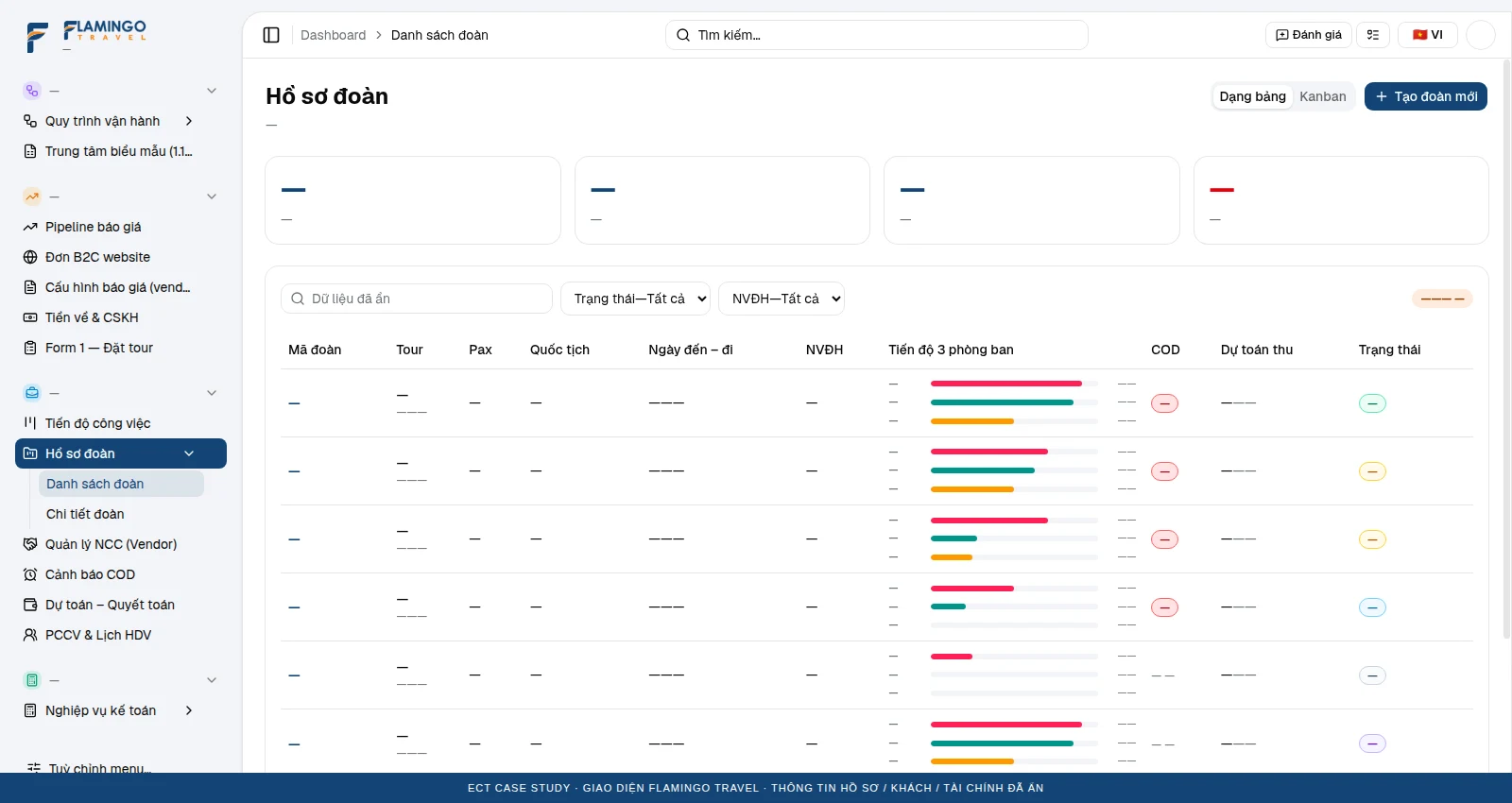
Tour file: the ERP’s connecting point
Tracks Sales–Operations–Accounting per tour; Form 1 handover, service bookings and task progress.
Source screen: /dashboard/ops · record data redacted; click to enlarge.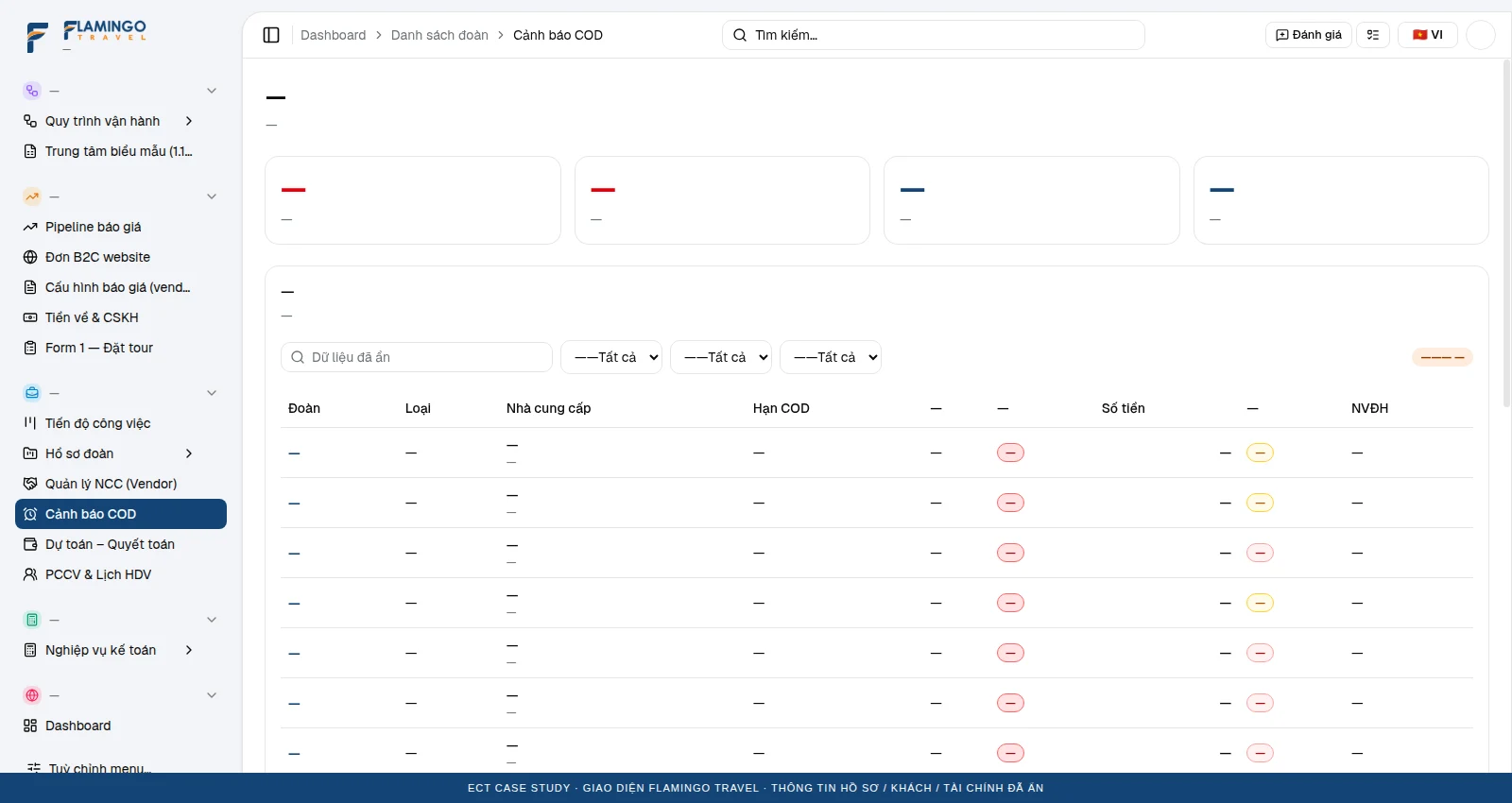
Supplier payment deadline control
Bookings prioritised by COD deadline; service status and cash in/out linked before payment.
Source screen: /dashboard/ops/cod · record data redacted; click to enlarge.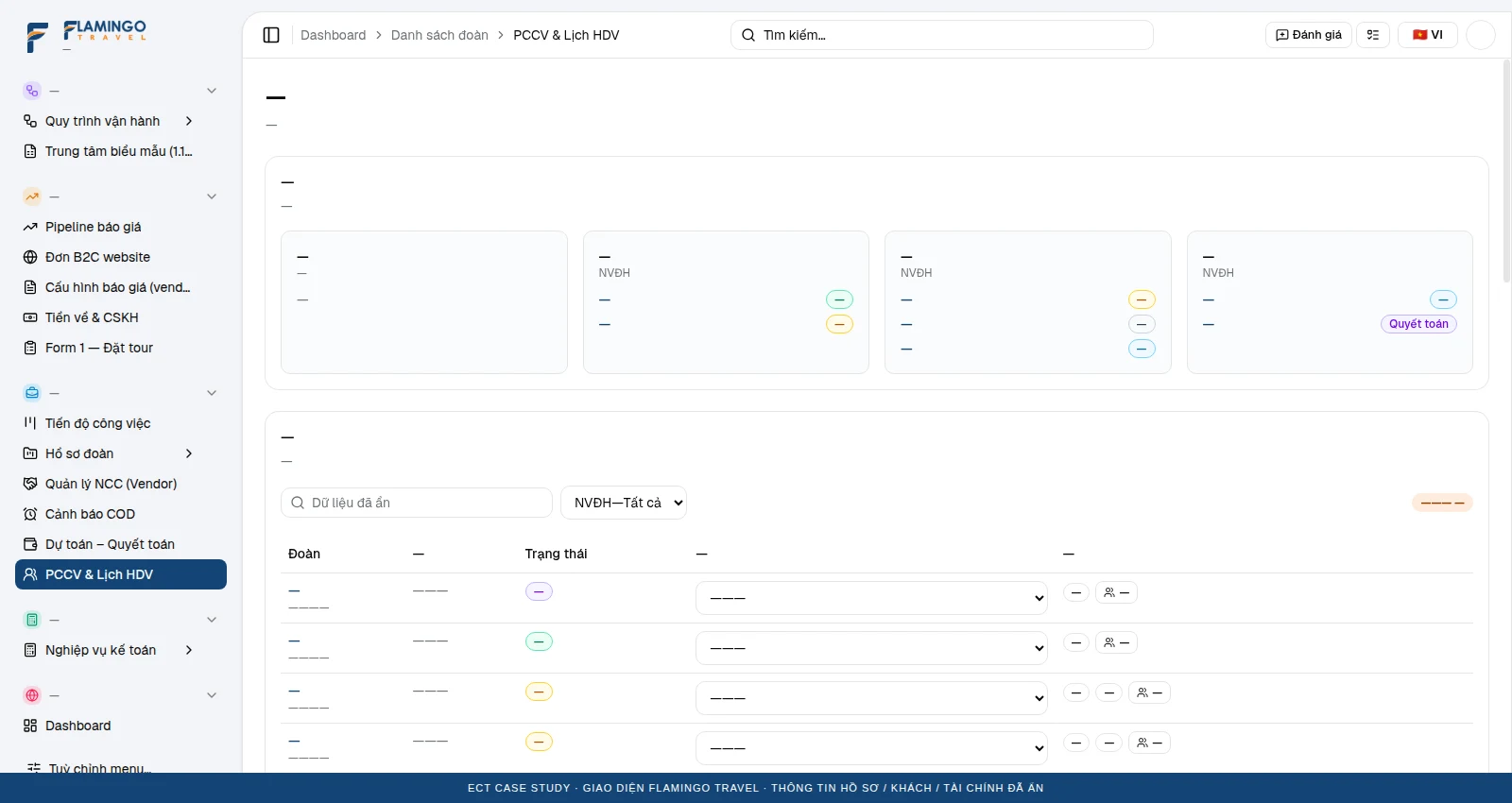
Guide assignment & schedule
Owners and guides organised per tour; the base for pushing work schedules to the field app.
Source screen: /dashboard/ops/assignments · record data redacted; click to enlarge.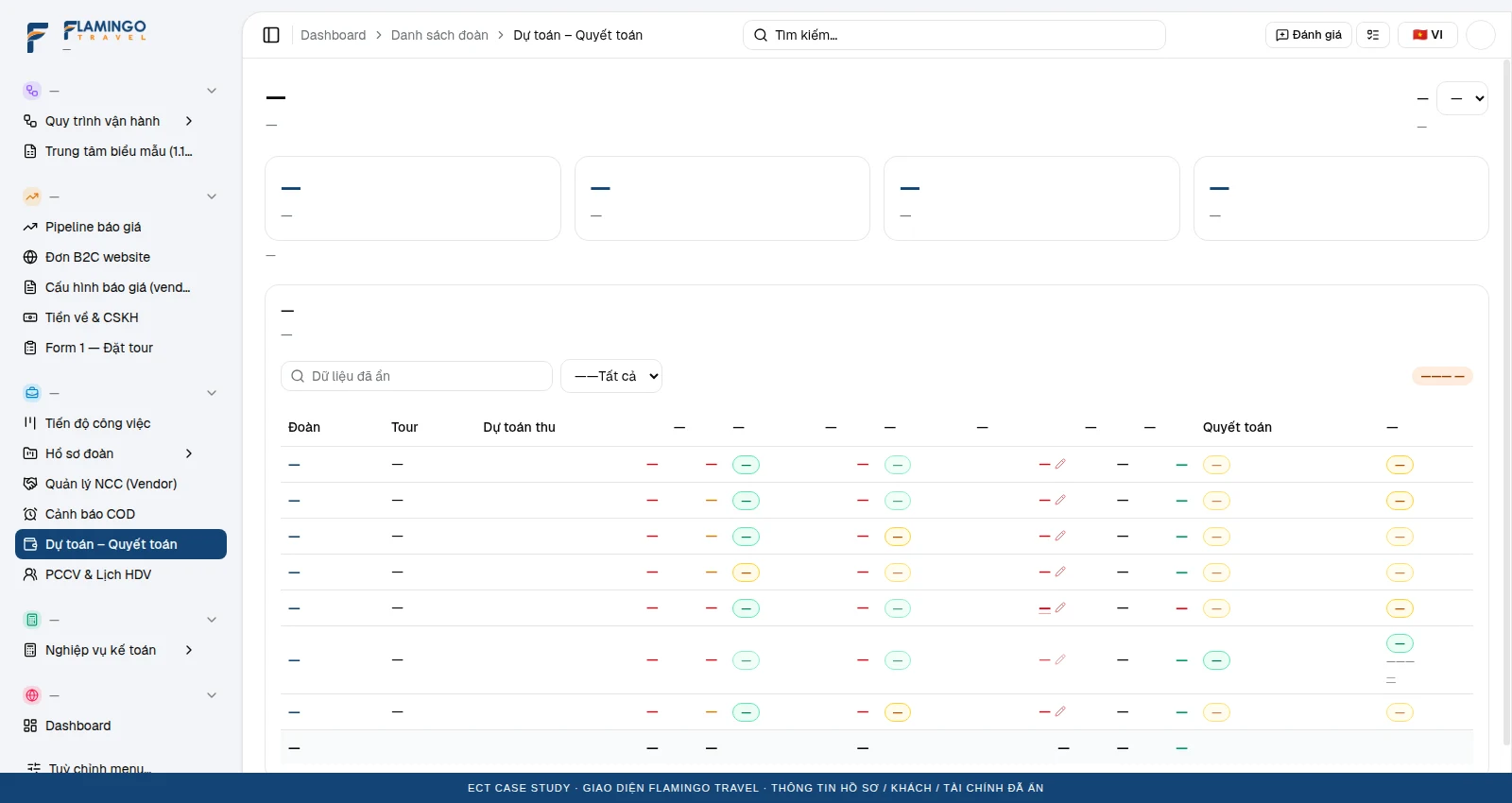
Budget vs settlement
Revenue, cost and incidents reconciled per tour; approvals with owners and variance control.
Source screen: /dashboard/ops/finance · record data redacted; click to enlarge.Sourced price checks.
Human-approved suggestions.
The Flamingo POC focused on standardising transport & meal price lists and checking norms and applicable conditions. An extended assistant can summarise tours, remind COD deadlines and support staff from the same ERP data.
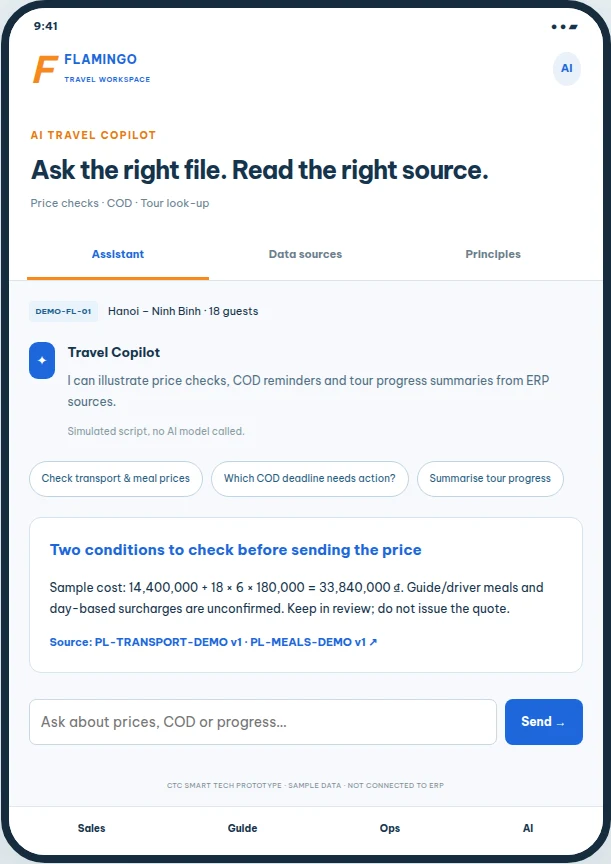
Sample scenario: compute costs, flag missing conditions, cite the versioned price list and keep quote sending with Sales.
Open the sample assistant ↗Same ERP.
Everyone sees exactly what to do.
We propose focused module apps on the same ERP APIs and tour codes. Each app has its own business scope, access rights and handover point; the desktop menu is not copied to the phone.
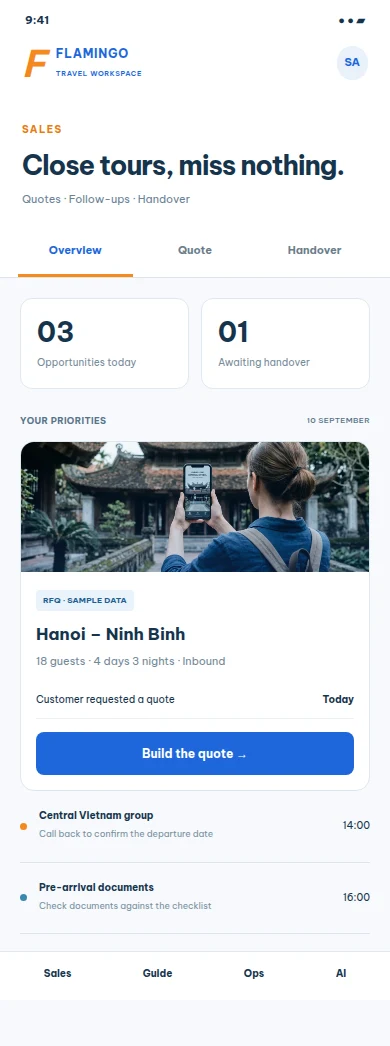 FROM OPPORTUNITY TO HANDOVER
Sales app
- Today’s opportunities and follow-ups.
- Draft quotes with versions and service conditions.
- Closing checklist; Form 1 handover to Operations.
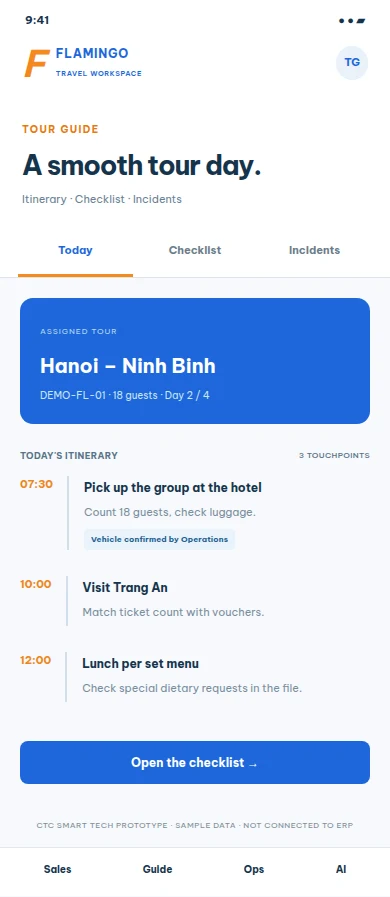 ON SITE WITH THE GROUP
Tour guide app
- Assigned tours, daily itinerary and required service details.
- Pick-up, headcount and voucher checklist with completion confirmation.
- Incident reports with descriptions; track Operations’ response.
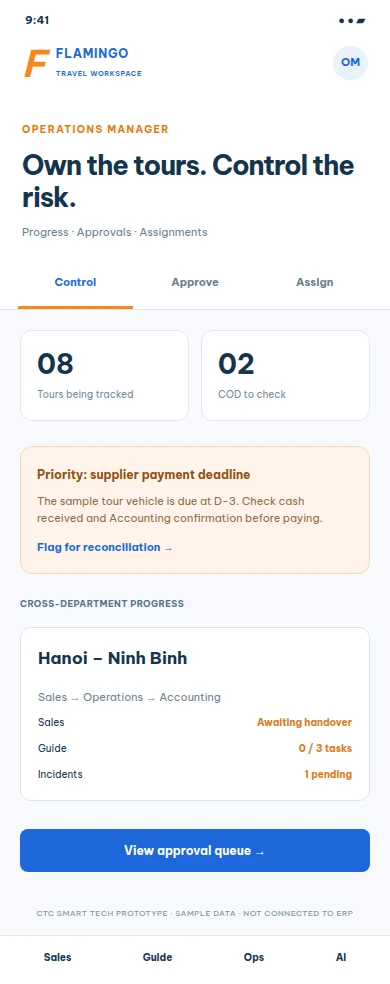 PRIORITISE WHAT NEEDS A DECISION
Operations manager app
- Overview of running tours, unconfirmed bookings and upcoming COD deadlines.
- Incident approval queue with basis and recorded reasons.
- Assign guides, coordinate resources and track handovers.
Module & permission mapping
| Role | Inherited ERP module | Permission boundary |
|---|---|---|
| Sales app | RFQ pipeline → Quote builder → Form 1 → Tour file | Sales view/edit their opportunities and prepare handover; they do not confirm cash received or approve spending. |
| Tour guide app | Assignments / guide schedule → Tour itinerary → Checklist → Incidents | Access only to assigned tours and customer-service data; no margins or company-wide settlements. |
| Operations manager app | Tour file → COD → Incident approval → Assignments | Approves within limits and scope; Accounting still confirms cash in/out and documents. |
Sales save a quote and complete the handover checklist → the guide records tasks / reports an incident → the manager reviews with a reason → status updates in the same demo browser. Production needs server-side permission checks, logs, conflict handling and cross-device sync.
Roadmap from the identified business processes
Data foundation
Standardise tour codes, supplier catalogue, price lists, permissions and rules.
Price-check pilot
Transport & meals: extract → check conditions → compute by rules → human approval.
ERP & sales channel
Persistent data; RFQ/B2C → Form 1 → operations → reconciliation.
Role-based apps
Permissioned APIs, push notifications and sync for Sales, guides and managers.
AI & multichannel
Sourced look-ups, reminders and controlled suggestions; measure quality before granting write access.
Acceptance criteria include: website intake lands in the right Sales queue; Form 1 is handed over only when complete; COD alerts on time; incidents reach the right approver; guides cannot read data outside assigned tours; actions and data versions are traceable.
Research sources: Flamingo web-app source code, workflow data extracted from the Sales–Operations–Account documentation, the AI Automation design and the POC proposal. This document describes the solution and does not publish contract prices or real customer data.
Frequently asked questions
Do the mobile apps replace the ERP?
No. The apps focus on role-based tasks and use the same ERP APIs, tour codes, permissions and logs. The current prototype illustrates UI and flow; it is not a production app.
Is the AI live?
The UI in this kit simulates the AI Automation documentation and the Flamingo POC. ERP APIs, a document store, an AI model and testing are needed before real use.
Are payments and cross-device sync implemented?
The reviewed ERP uses sample data / localStorage. Those production capabilities must be built and accepted separately.
Reference: Flamingo Travel POC delivered by CTC Smart Tech. The ERP/e-commerce UI has an existing demo; the AI and mobile apps are proposed prototypes. The process, pilot and acceptance sections in this kit are proposed designs to be confirmed per project.