
Problem & audience
COOs, logistics and import/export managers, back-office leads.
- Documents arrive through many channels, formats and templates.
- Manual reconciliation misses gaps between invoices, bills of lading and packing lists.
- Process knowledge is scattered; exceptions depend on experienced staff.
Solution modules
Document Agent
Receives, classifies and extracts data from PDFs, images and spreadsheets; every field points back to its source document.
Reconciliation & exceptions
Cross-checks quantities, unit prices, item codes and delivery terms; routes anything unverified into a queue.
Knowledge Copilot
Looks up procedures, contracts and work instructions within access rights; answers cite their sources.
Workflow & reporting
Assigns work, tracks deadlines, drafts reports and prepares integration data; authorised people approve actions.
Process & data
Data to prepare
- A sample document set cleared for use, plus the expected reconciliation results.
- Item, supplier and contract catalogues and the checking rules.
- APIs or data-exchange mechanisms with ERP/WMS/TMS; a permission matrix.
Deliverables
- Agreed data dictionary, flow diagram and reconciliation rule set.
- Demo on sample documents, exception screens and approval history.
- Test suite, integration docs, operating guide and handover.
- Case study with screenshots, a workspace and sample apps for three roles; module/permission matrix and handover flow.
Delivery conditions
The customer names a process owner, provides data cleared for use and a systems contact. CTC Smart Tech and the business team agree scope, test set, change handling and operating responsibility.
Infrastructure, equipment, licences, third-party integration and AI running costs are determined separately by discovery. This document is not a quotation or SLA commitment.
Pilot & acceptance criteria
- Pick one document type, set the baseline and the answer key.
- Configure extraction, reconciliation rules and access rights.
- Run in parallel with staff, analyse errors and refine rules.
- Accept on a document set not used for configuration; hand over.
| Metric | How it is measured |
|---|---|
| Processing time | Median minutes per document set, same document type before and after the pilot. |
| Extraction quality | Share of fields matching the answer key confirmed by the business team. |
| Reconciliation effectiveness | Share of real errors caught and the false-alert rate. |
| Action control | Every sensitive send/write has an approver and a history entry. |
Fix the pass threshold, sample size and measurement period before the pilot. These metrics are a proposed evaluation frame, not actual results or a performance commitment.
Governance & control
- Suggested HS codes and declaration data are supporting input; specialists verify before use.
- The demo does not prove a live connection to production systems; APIs and access rights are checked during discovery.
- Documents containing unusual instructions must not change agent permissions; actions are limited per account.
Apply least privilege, data separation, action logs, retention/deletion rules and recovery. Test wrong-permission access, missing data and service interruption before handover.
DocAgent & Back-office Copilot
A design case study from the DocAgent demo: intake, extraction, document reconciliation, exception handling and traceable approval.
DocAgent has an existing demo UI; the role-based workspace/apps and the new assistant are proposed prototypes.
Sample UIs use synthetic data. Existing DocAgent screenshots have record/partner/figure data redacted. No real customer or employee results are used for illustration.
Intake
Attach documents to a file code; record source and version.
Extraction
Normalise fields while keeping links to the original document.
Reconciliation
Cross-check and queue discrepancies.
Verification
The owner checks the basis, adds documents or explains.
Approval
The manager approves within scope; data becomes eligible for the next step.
See where the work gets done.
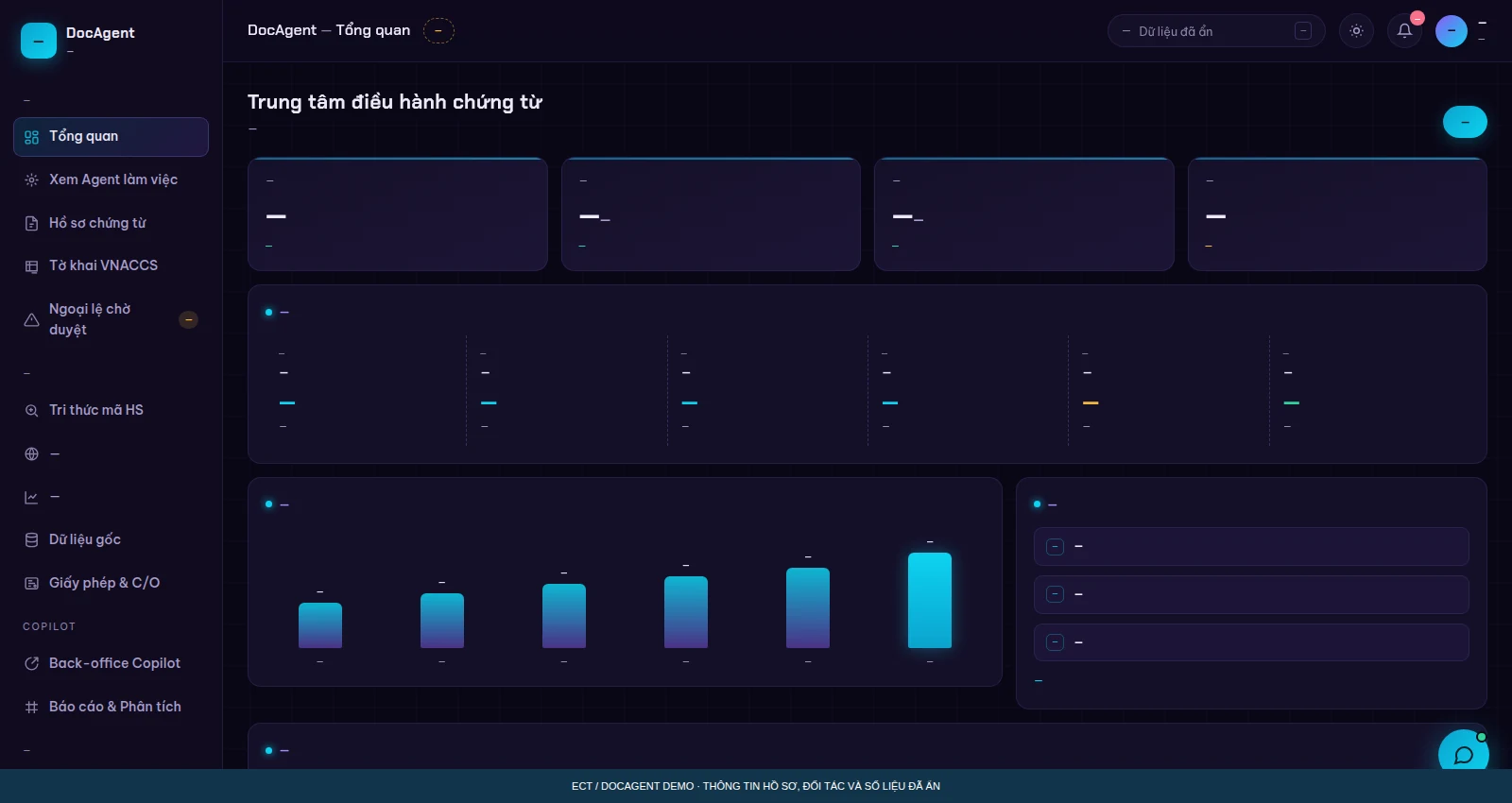
DocAgent: operations centre
Captured from the existing DocAgent demo. Record and partner data redacted; UI structure and labels kept.
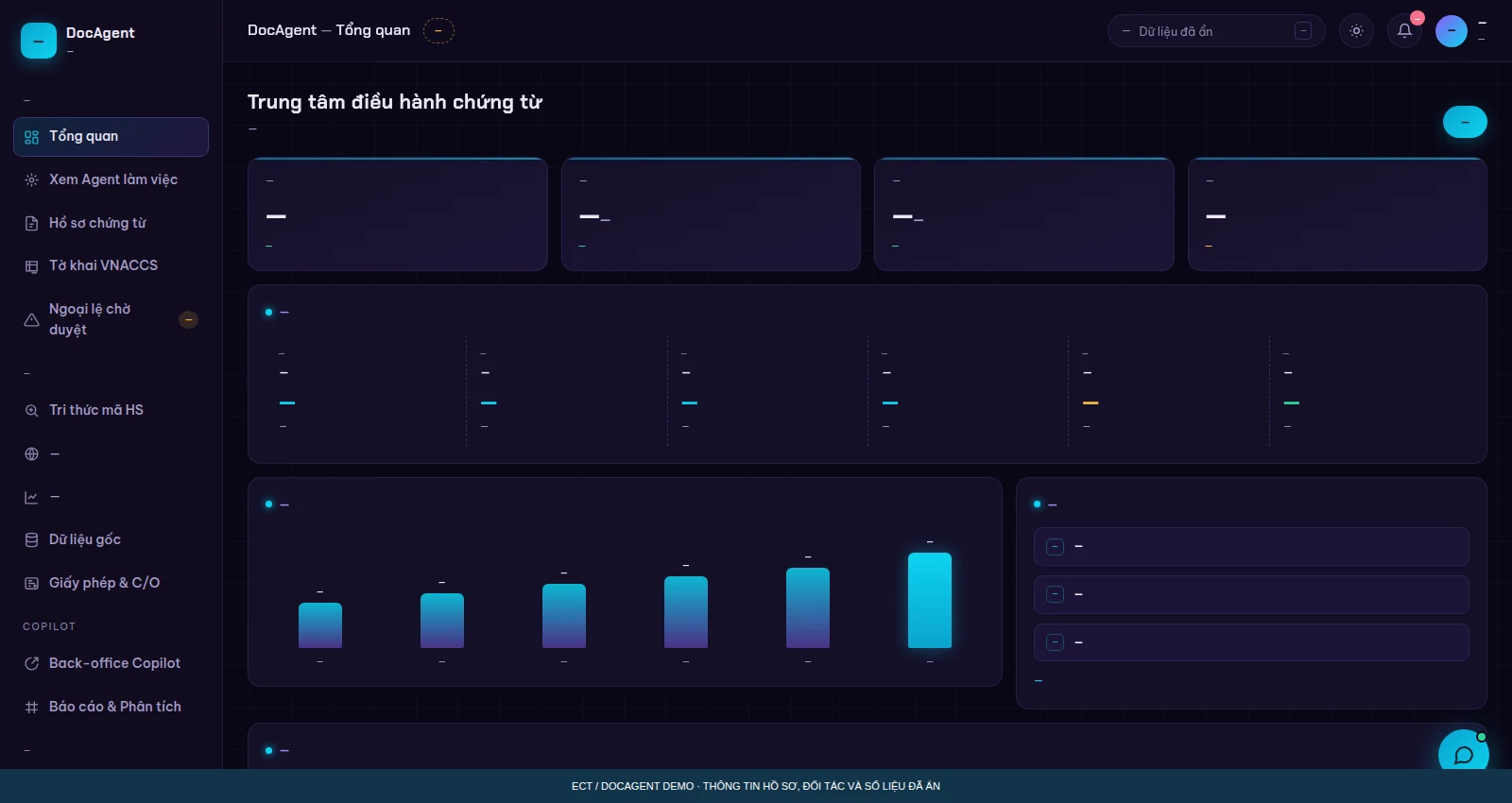
DocAgent: Back-office Copilot
Captured from the existing DocAgent demo. Record and partner data redacted; UI structure and labels kept.
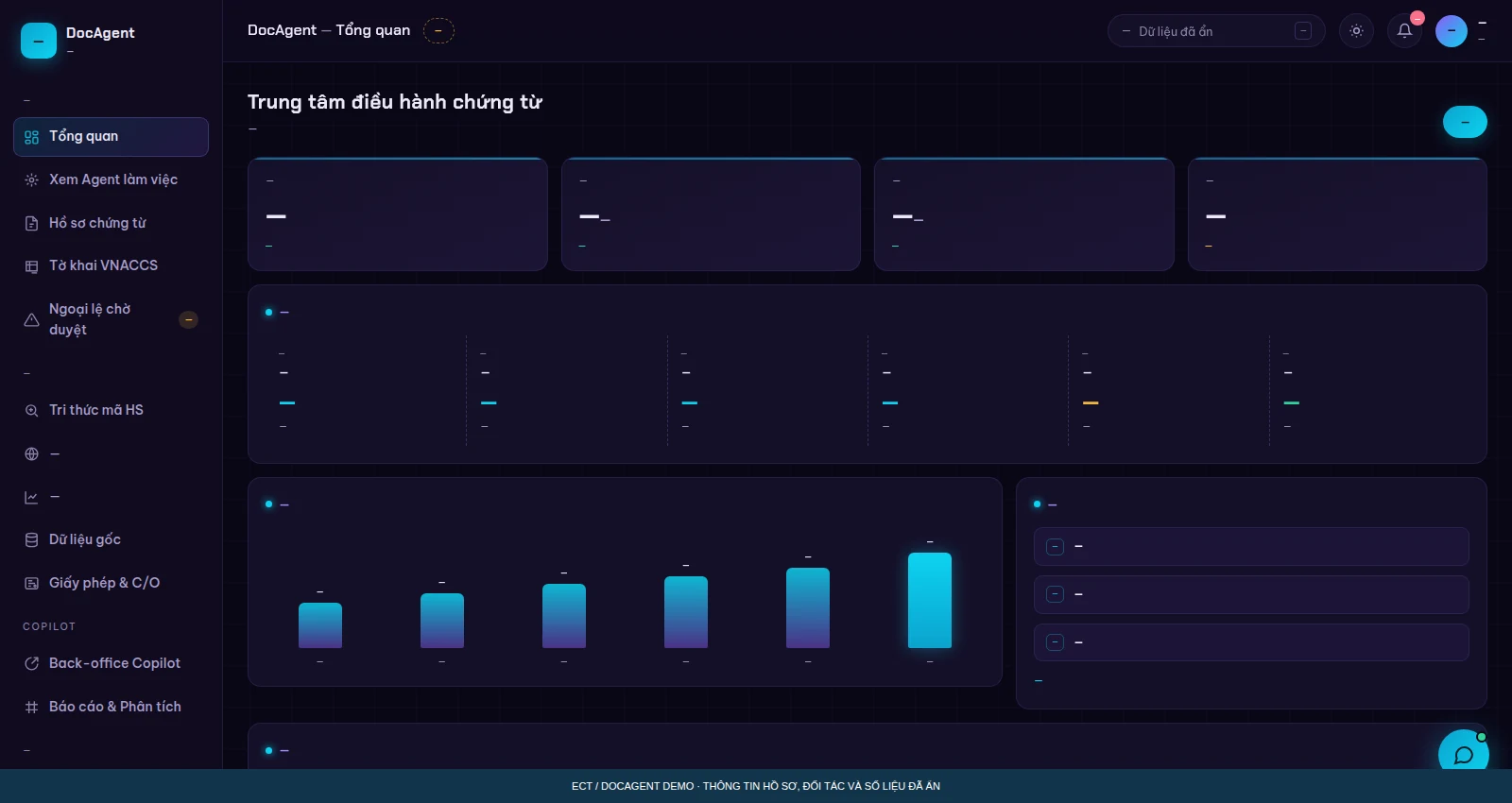
DocAgent: audit trail & permissions
Captured from the existing DocAgent demo. Record and partner data redacted; UI structure and labels kept.
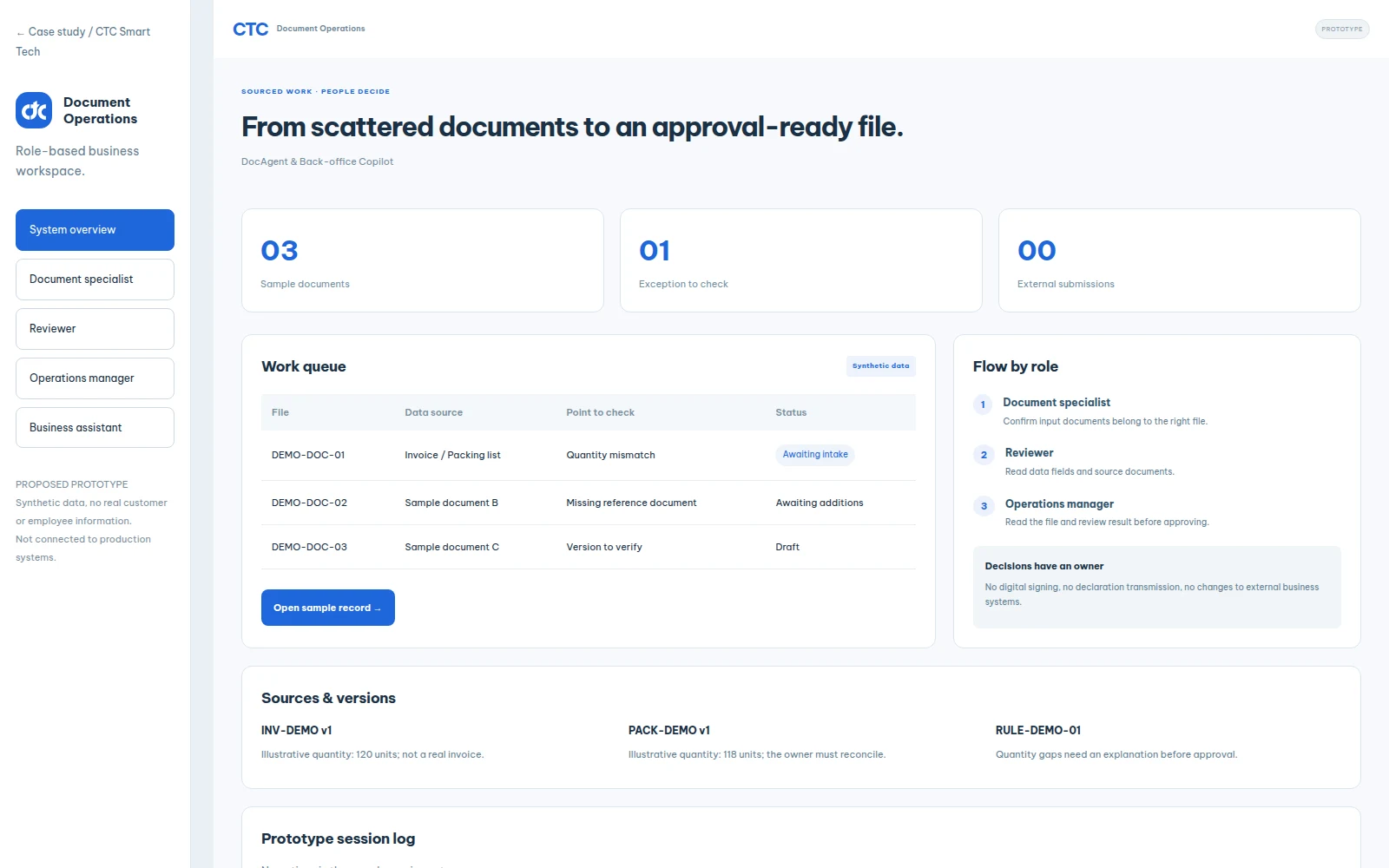
Document Operations workspace
Prototype dashboard with simulated records; states and process follow the solution design.
Open the sample UI ↗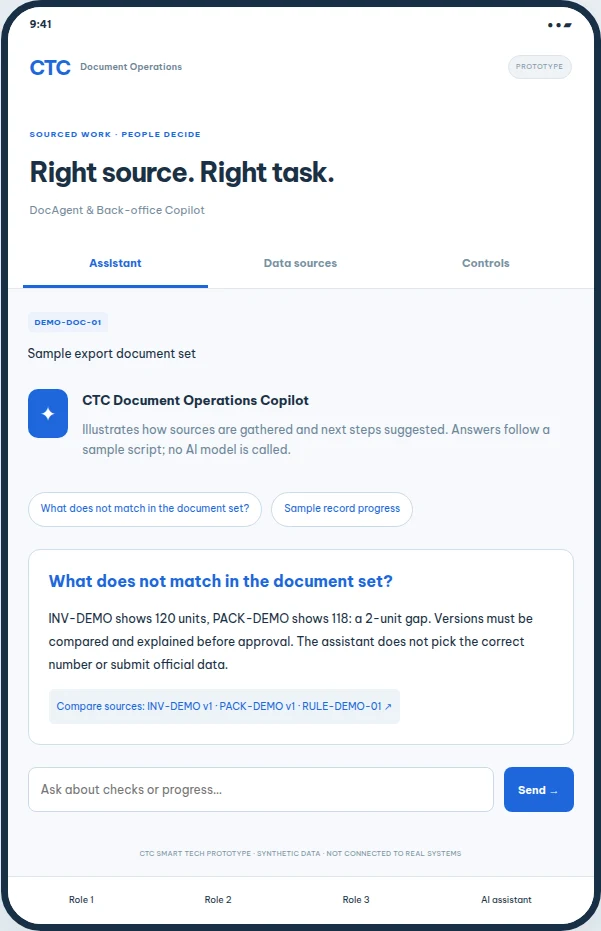
Document Operations assistant
What does not match in the document set? Sourced simulated scenario; no LLM call.
Open the sample UI ↗Every role has a clear workflow.
The apps focus on frequent tasks. In production they share the APIs, file codes, permission policy and history of the business platform.
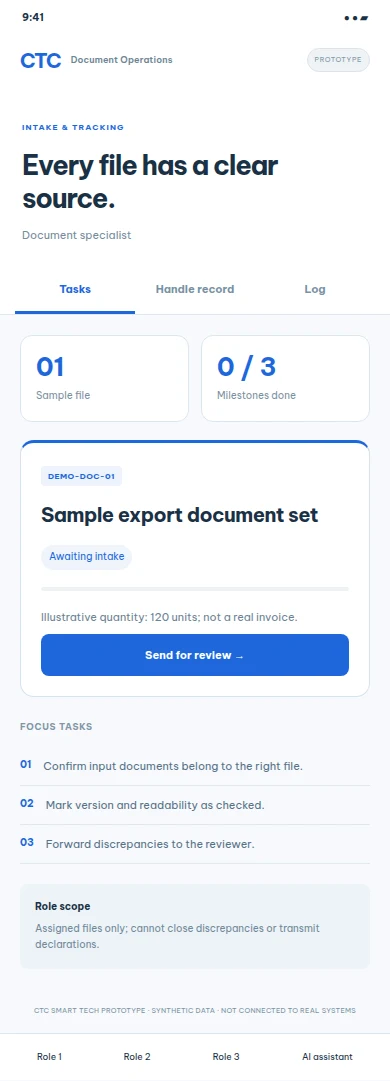 INTAKE & TRACKING
Document specialist
- Confirm input documents belong to the right file.
- Mark version and readability as checked.
- Forward discrepancies to the reviewer.
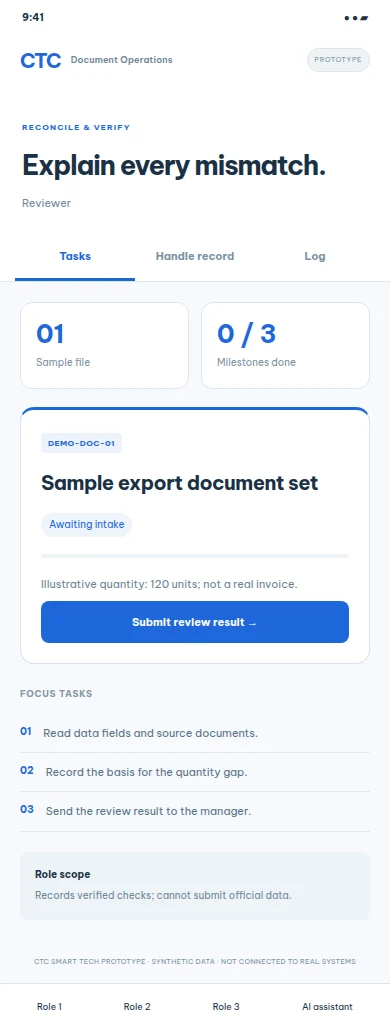 RECONCILE & VERIFY
Reviewer
- Read data fields and source documents.
- Record the basis for the quantity gap.
- Send the review result to the manager.
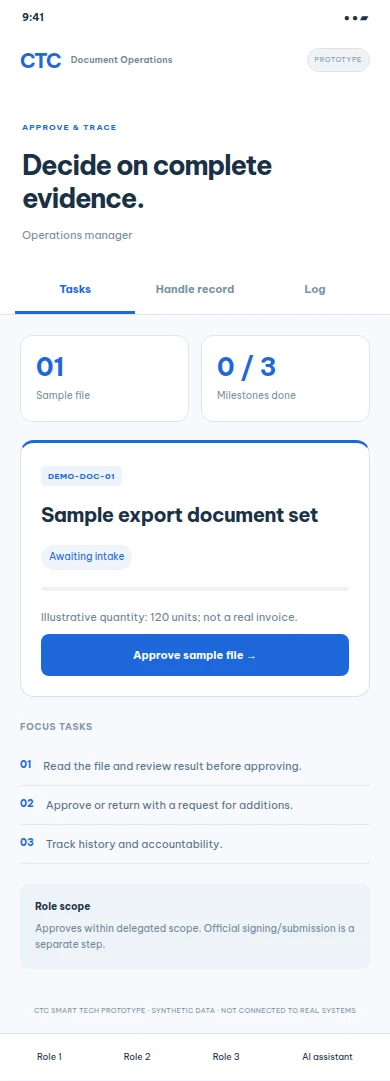 APPROVE & TRACE
Operations manager
- Read the file and review result before approving.
- Approve or return with a request for additions.
- Track history and accountability.
Module mapping & permission limits
| Role | Module | Scope |
|---|---|---|
| Document specialist | File → Document set → Exceptions | Assigned files only; cannot close discrepancies or transmit declarations. |
| Reviewer | Reconciliation matrix → Exceptions → Review result | Records verified checks; cannot submit official data. |
| Operations manager | Approval queue → Agent permissions → Audit log | Approves within delegated scope. Official signing/submission is a separate step. |
From input to an evidence-based decision.
The first role completes the checklist and submits evidence; the next role records an evidence-based result; the approver confirms or returns with a reason. The sample session logs every step.
No digital signing, no declaration transmission, no changes to external business systems.
Sample state is stored in the same browser, separated per solution. There is no authentication, multi-user backend, cross-device sync, push or LLM connection. Those must be built and accepted before real operation.
Sources to compare, not automatic conclusions.
INV-DEMO v1
Illustrative quantity: 120 units; not a real invoice.
PACK-DEMO v1
Illustrative quantity: 118 units; the owner must reconcile.
RULE-DEMO-01
Quantity gaps need an explanation before approval.
INV-DEMO shows 120 units, PACK-DEMO shows 118: a 2-unit gap. Versions must be compared and explained before approval. The assistant does not pick the correct number or submit official data.
DEMO sources are synthetic data for simulation. Real business documents must be collected with usage rights, versioned and quality-checked.
Pilot & acceptance roadmap
- Pick one document type, an answer key and a baseline.
- Configure extraction, rules and the exception flow.
- Run reconciliation alongside specialists; check permissions and traces.
- Accept on new files, then extend integration.
Conditions to verify
- Quantity gaps are blocked before approval.
- Every field has a source or is flagged as unverified.
- No data leaves automatically; every action has a person and a reason.
- Per-file permissions, versioning and duplicate-submission errors are tested.
Agree scope, baseline, sample size, confirming person and operating responsibility before the pilot. Demos do not replace acceptance results or performance commitments.
Reference direction: CTC Smart Tech internal DocAgent demo. Details are compiled from existing documents and source code; new UIs are clearly marked as proposed designs.
Frequently asked questions
Does it replace the ERP?
The solution is designed as a support layer on top of existing processes and systems. Integration scope is fixed after discovery.
Does the AI file declarations by itself?
Not within this proposal. An authorised person checks, signs and performs the official submission.
Reference: CTC Smart Tech internal DocAgent demo. DocAgent has an existing demo UI; the role-based workspace/apps and the new assistant are proposed prototypes. The process, pilot and acceptance sections in this kit are proposed designs to be confirmed per project.